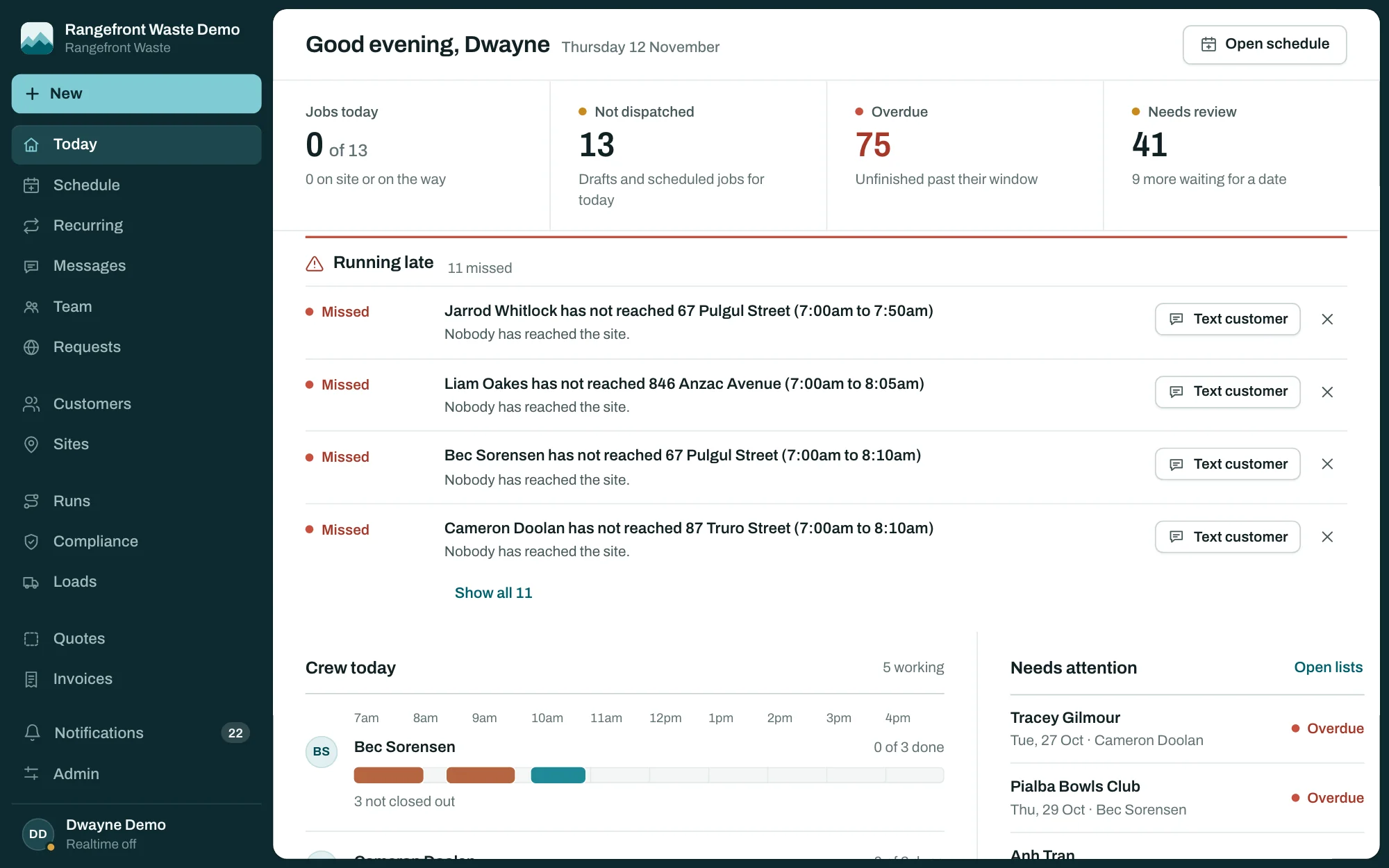
Rangefront Waste runs the day for a septic pumping or wastewater business: who’s on which job, what each council wants for a property, which systems are overdue, what the customer has been told, and whose invoice is still unpaid. It’s built for the trade, not a generic field-service app with the labels swapped out.
Software like this usually arrives as a per-seat subscription that climbs every time you put on staff. This doesn’t. It’s one monthly price for the whole business, or a one-off licence if you’d rather own it outright. It’s built in Toowoomba for Australian operators, so the council reporting follows local rules rather than an overseas template.
Booking a call
The phone rings and it’s someone new. Search by name or phone number, and when nobody matches, add them right there: name and mobile, the street address picked as you type, a note about the gate and the dog, and the type of tank. The job is booked against all three in the same form. For an existing customer, only their own sites are offered, so nobody books the wrong place. Or type it in a sentence, like “pump-out for the Hallams next Tuesday at 8, give it to Bec”, and the assistant fills in the booking for you to check.
Customer emails and texts
Most septic customers only hear from you when the truck turns up or the invoice lands. Rangefront Waste sends the messages in between without anyone in the office remembering to.
You set rules for each event, and it works out who should hear about it: the customer, the site contact, the technician, a dispatcher, or whoever you name. It can confirm the booking, message the customer when the tech is on the way, send a service reminder before the next one is due, and email the receipt and the invoice.
On the subscription, 300 texts a month are included and sent under your business name. Email goes through your own account, so it comes from your domain. Email works with SMTP, Microsoft 365, Resend, SendGrid, Postmark, Mailgun and Amazon SES. Licence owners connect their own SMS account with Twilio, ClickSend, MessageMedia, Vonage or Telnyx. Credentials are stored encrypted. A delivery log shows what went to whom and when, and a failed message can be resent in one click.
Quotes and card payments
A customer asks what a pump-out and a new outlet filter will cost. You build the quote from your price list, add a cheaper option without the filter, and send it by email or text. They open the link, pick an option, type their name and sign. If you asked for a deposit, the deposit invoice is raised on the spot, and the accepted quote turns into a job waiting to be booked. Quotes nobody answers get a reminder after three days and again after seven.
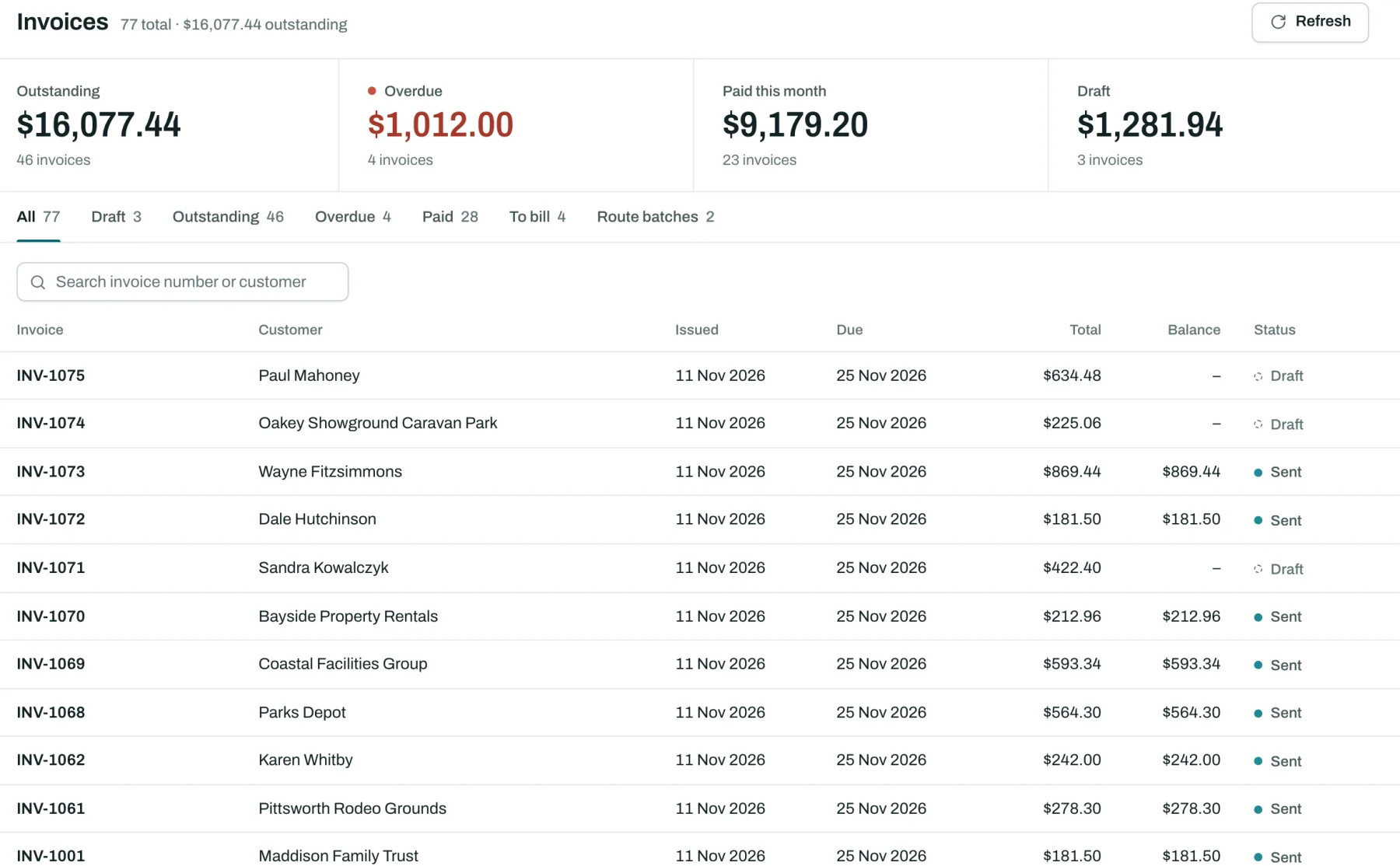
Every invoice carries a pay link. The customer pays by card through your own Stripe account, and the payment lands against the invoice without anyone keying it in. On site, the technician can show a QR code for the customer to pay on their phone, or record cash. Invoices that slip past due get polite reminders on a schedule you set, and customers with a balance can get a monthly statement.
Xero and QuickBooks
Invoices and payments sync with Xero and QuickBooks Online, so the office isn’t keying the same numbers into two systems.
Plenty of operators would rather keep sending invoices from Xero. Turn on “Accounting system sends invoices” and the app creates each invoice in Xero as a draft. Someone in the office checks it there and sends it from Xero. While that setting is on, Rangefront Waste sends no invoice emails or texts, no pay links, no overdue reminders and no statements, so the customer only hears from one system. A payment recorded in Xero syncs back to the invoice in the app. Draft mode is Xero only. QuickBooks syncs invoices and payments, but doesn’t get the draft step.
Tracking links and two-way texts
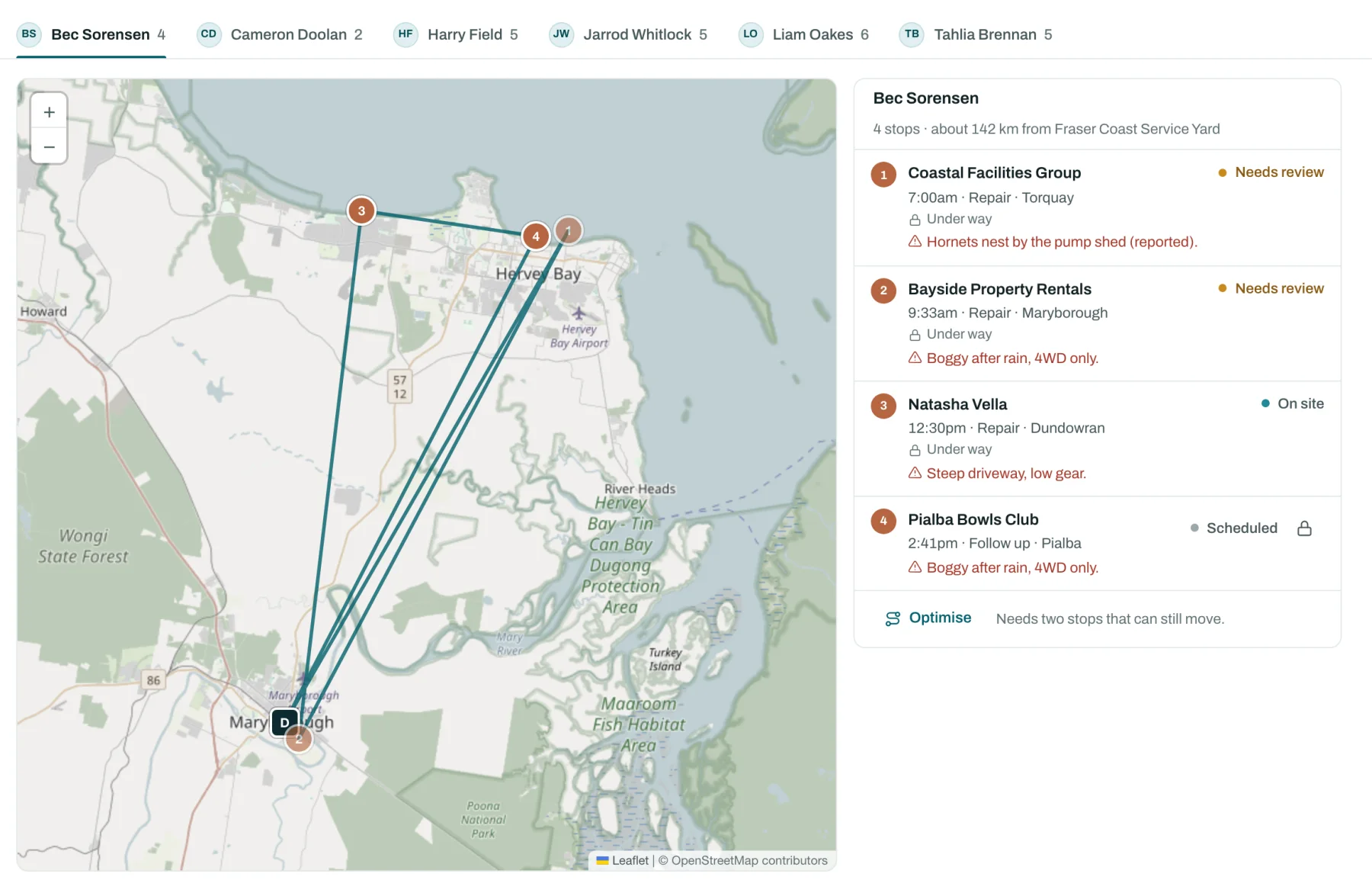
The “on the way” text goes out when the technician taps On my way in the field app, and it includes a link. The customer sees the technician’s first name, the truck, where it is on a map and an estimated arrival time. The link stops showing the truck’s position once the visit is done. The office sees each technician’s latest position on the schedule map as well.
The text is sent by the technician’s tap. There’s no automatic message when a truck comes within some distance of the property.
When customers reply to a text, the reply lands in the office inbox against their record and the open job, and you answer from there. STOP opts them out. A YES to a reminder marks the visit confirmed.
Time and job costing
Travel and on-site time is recorded from the job itself: leaving for the job starts travel, arriving starts on-site time, finishing stops it. Technicians clock on and off for the day and fix mistakes from the phone. The office gets a weekly timesheet per person with overtime worked out, ready to approve and export as a CSV. Payroll export isn’t built yet, so the CSV goes into whatever payroll you already use.
Set what your staff, trucks and disposal cost, and each job shows its labour, vehicle, disposal and materials against what you charged. The profit view breaks it down by job type, technician and customer, and flags the jobs that lost money.
Crews and calendars
A job has a lead technician and, when it takes more than one person, a crew. Travel and on-site time is recorded for every crew member, and the job shows up for each of them.
Each person on your team gets a private calendar link. Subscribe to it in Outlook, Google Calendar or Apple Calendar and the jobs they lead or crew appear alongside the rest of their diary, from 30 days back to 90 days ahead. The calendar leaves out customer phone numbers, access codes and hazard notes. If a link gets shared, the person resets it and the old one stops working. It’s a one-way subscription, so your calendar app decides how often it refreshes, often every few hours rather than instantly. Separately, the business can publish its jobs to one shared Google or Microsoft 365 calendar.
Service reports and certificates
When a job is signed off, the service report or commissioning certificate can go straight to the customer and the site contact as a PDF, with your branding on it. It carries the signatures and form answers the technician captured on site, so the customer gets the paperwork the same day instead of the following week.
You decide what they look like. Set your logo, colours, business details, email wording and invoice terms once, then use the report builder to choose which blocks appear on a report or certificate, reorder them, and pick one of three styles. A live preview updates as you change it, so you see the document before a customer does.
Defects and breakdowns
A technician finds a cracked lid or a failed pump on a job. They log it from the phone, offline if there’s no signal, against the system and with a severity. It shows in the office on the customer, the site and the tank, open until someone resolves it, with the repair booked as its own job when you’re ready.
Breakdowns are booked as urgent work from the start, and the technician is told the moment they’re assigned. New installs get a commissioning job with its own certificate form, numbered and signed on site.
Council compliance in every state
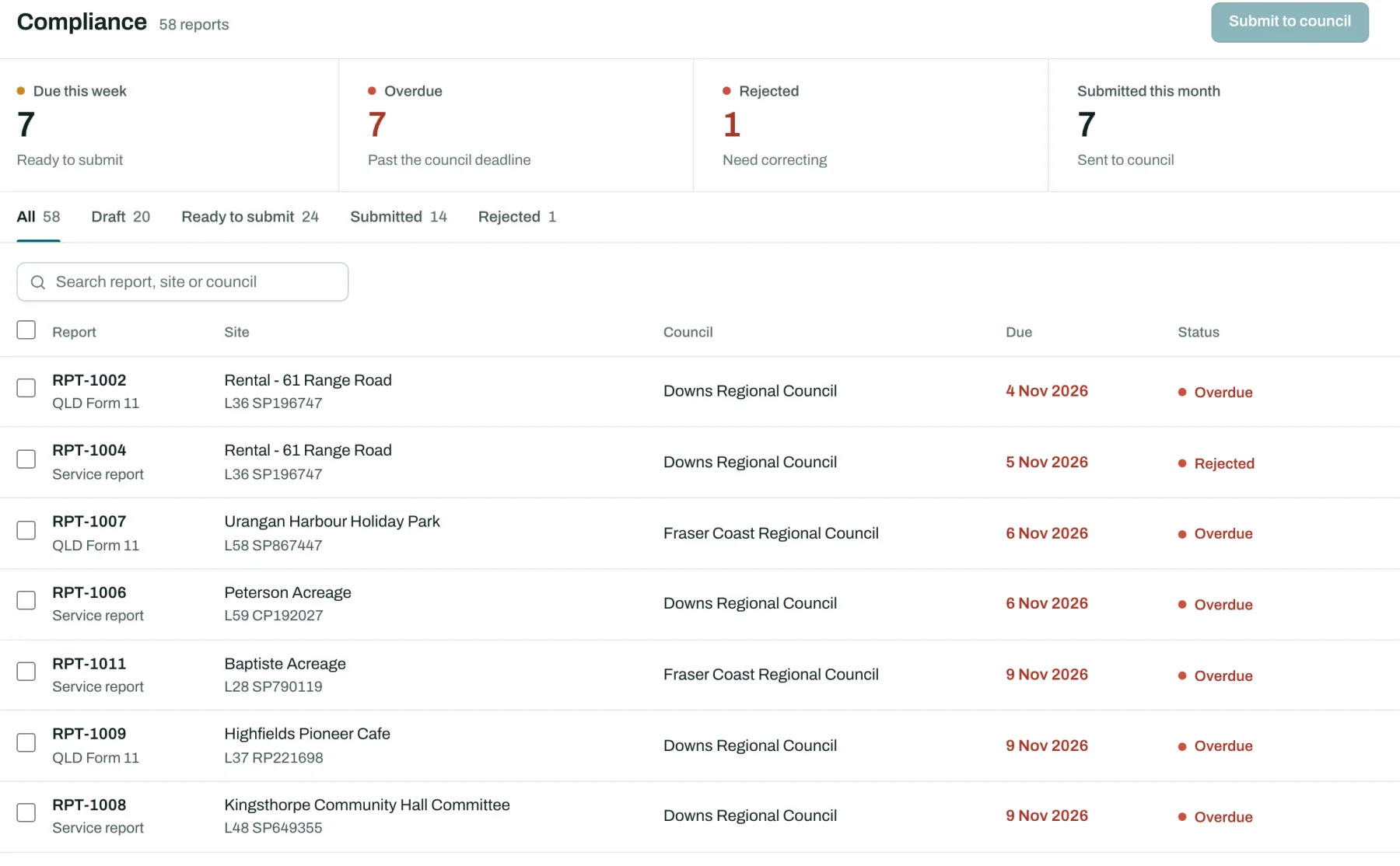
Queensland operators file a Form 11. In New South Wales it’s a Section 68 approval, and in Victoria it’s the EPA permit process for systems under 5,000 litres a day. South Australia, Western Australia, Tasmania, the Northern Territory and the ACT each have their own rules again.
Rangefront Waste ships with rule templates for all eight, and you set up each council you work with: how it wants reports delivered (email, portal upload, SFTP or API), the deadline, whether the owner needs a copy, and the fields it checks. Reports are generated, issued and submitted in order, every step is logged, and the PDF is stored exactly as it was sent.
In the field
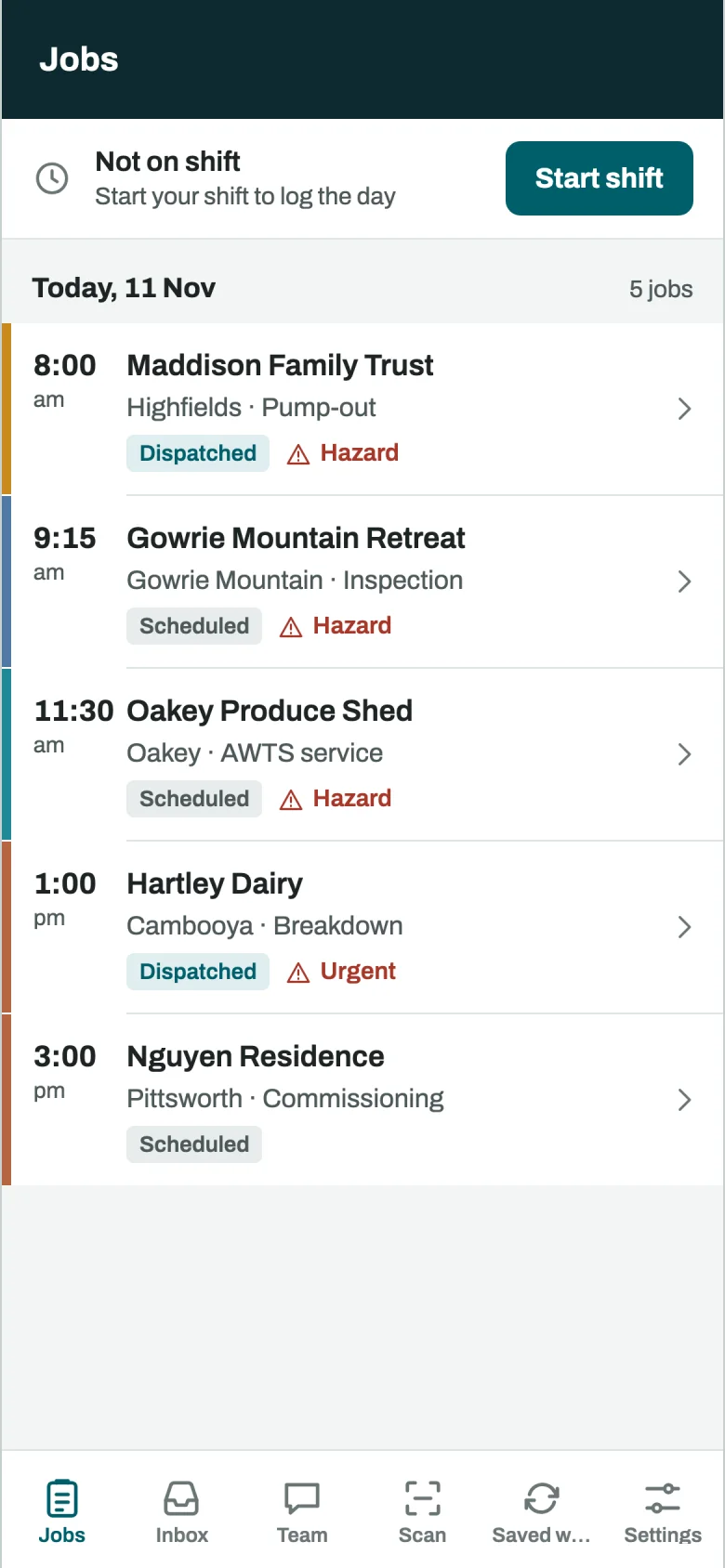
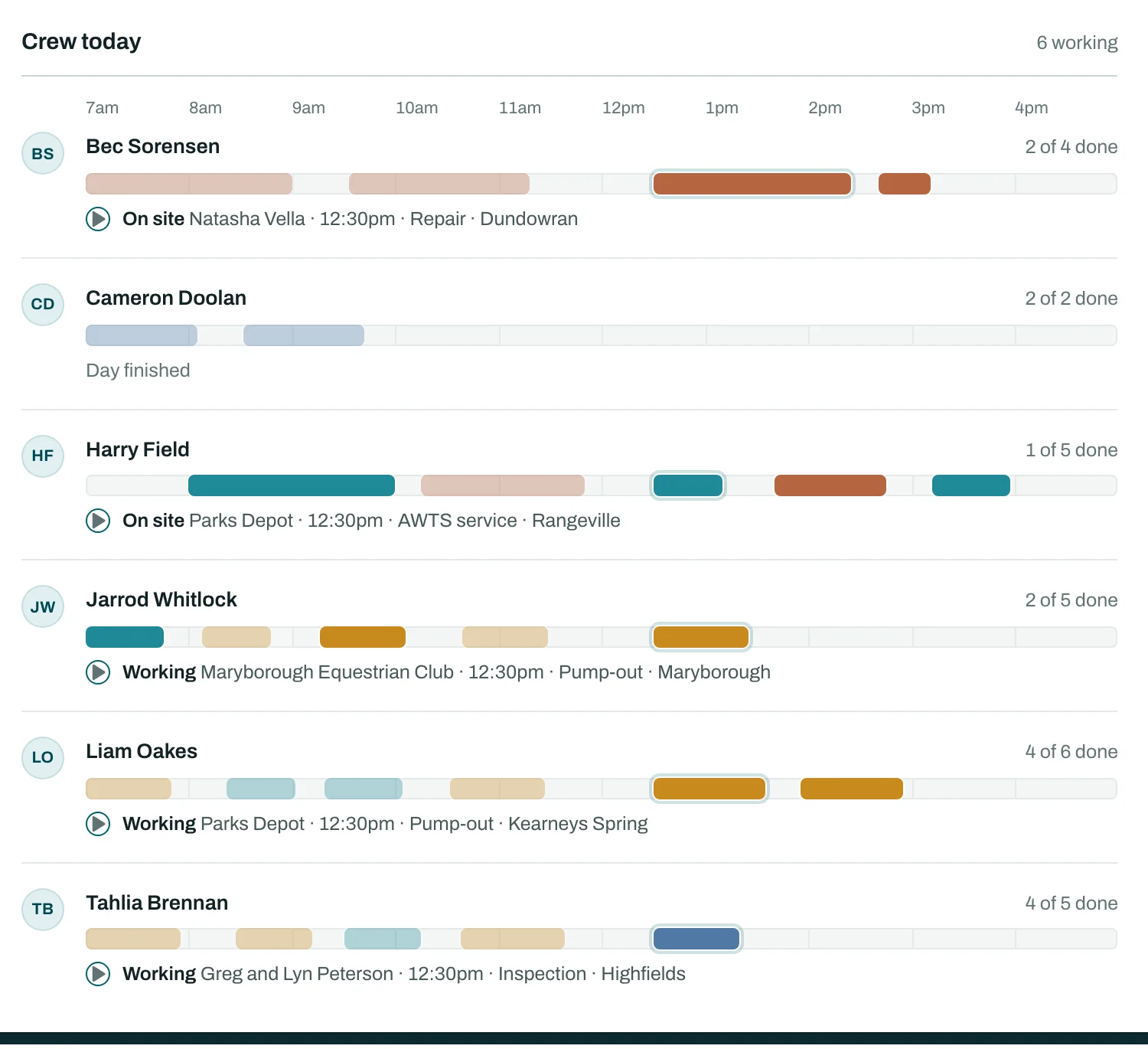
The technician app runs on iOS and Android and is built for the job, not a desktop screen shrunk onto a phone. It works without signal and syncs when the truck is back in range. Technicians see their day and the hazard and access notes on each property, get directions, scan a QR tag to bind a tank to its record, take photos, capture the customer’s signature, log defects and complete the form for the job. They can draw on a photo to circle the cracked lid, sketch the tank and drain layout, message the office about the job, and take payment before they leave. The app records a GPS position when the technician arrives and while they’re on the way, and the office sees the run sheet update as the work happens.
An assistant for the office
Open the assistant from any page and ask it what you’d ask a good office manager. How many jobs are on today? Which tanks are due before the end of March and haven’t been booked? Plan next week’s runs. It reads your own jobs, customers and systems to answer, links each record it mentions, and answers how-to questions from the user guide with a link to the page.
When something should change, it doesn’t just do it. It shows a card: the customers, sites and tanks it would add, or the run it would book with each stop in driving order, and nothing is saved until you confirm. Imports can be undone with one click.
The smaller jobs are still handled too, with a person checking each draft. A technician dictates rough notes and gets them back as a clean completion note. The office writes “explain the baffle defect and book a repair” and gets a customer email in your tone. Service reports get a plain-English summary for the owner, and quotes can start from a description of the job.
After hours, an optional phone agent answers your line, says up front that it’s automated, recognises returning customers, takes booking requests and messages, and pages whoever is on call when someone’s tank is overflowing. Every call is kept with a transcript. There’s more on all of it on the features page.
Moving from ServiceM8 or Tradify
You don’t have to start from a blank screen. For ServiceM8 there’s an import for customers, jobs, notes, schedule, photos and attachments, so you can run both side by side while you move over. For Tradify there’s a CSV import and export for customers, jobs, invoices and your price list. Tradify hasn’t confirmed public API access, so that one is a file import, not a live link. If your records live in spreadsheets, hand the file to the assistant: it works out the columns, merges a customer’s several properties into one customer with several sites, matches anyone already in, reads Australian dates and works out when each tank is next due, then shows you what it will add before anything is saved. The plain CSV importer, with its dry run, is still there too.
Customise it with plugins and themes
Every operator does something slightly differently: a docket number from the treatment plant, a check your council insists on, a job alert in Slack. You shouldn’t have to fork the software to get it.
Rangefront Waste has WordPress-style hooks and plugins. A developer can add fields, screens, report blocks, permissions and automations as a plugin, and switch it on for your business without touching the core code. Themes change the colours, email layout, PDFs and customer-facing pages. Because your changes live outside the core, installing the next release doesn’t wipe them out. Licence owners can build their own plugins and themes. On the subscription, our developers can build the feature you need at extra cost.
What it costs
There are two ways to pay, and both include every feature with no caps on users, jobs, quotes or invoices.
The subscription is A$125 a month ex GST for the whole business on Standard, or A$220 on Fleet for larger operators, with text messages and the AI features included. We host it, back it up nightly and install new releases as they ship. The first 15 days are free, then there’s a three-month minimum and it’s month to month with no exit fee.
The licence is A$9,450 once. You get your own installation, set up with your services, your council requirements, your branding through the whole app, your email and SMS accounts, and your team trained on it. You also get the source code and every future code release, so you can host it yourself and your own developer can change it and look after it. You can’t resell it. Payment plans are available.
Licence owners who’d rather not run it themselves can add a support package: we install each release, watch the installation, or host it outright. Take on three more technicians over summer and none of those prices move. If you’re comparing options, our guide to choosing septic and wastewater service software covers the questions worth asking every vendor, us included.
Where else it fits
Septic tanks aren’t the hard part of this software. The hard part is the structure under it: jobs booked against fixed assets at fixed addresses, work you have to sign off to a regulator, money that chases the job. Plenty of trades and field service businesses run that way. Grease traps, water-tank cleaning, pump maintenance, backflow testing. We can reshape Rangefront Waste, put your name on it, and point it at any of them. If that’s your business, tell us what you service and we’ll tell you how close the fit is. It’s one of several custom software and apps we build, so if you need something that isn’t on the list, we can build that too.
Service workflows
The Rangefront Waste website has more detail for septic service businesses, septic pumping operators and on-site wastewater service teams. For Queensland reporting, the Form 11 guide covers the official form, the reporting deadline and keeping track of the owner and council copies.
The guides cover dispatch, field records and billing. The software comparisons put Rangefront Waste alongside ServiceM8, Tradify, SepticMate and SepticTrack, with source links and pricing on a common tax basis where the published terms allow it.
See it running
There’s a live demo you can open right now, no sign-up: demo.rangefrontwaste.com.au. It’s loaded with sample customers, jobs, quotes, council reports, defects, texts, timesheets and invoices, so you can click through dispatch, compliance, customer messages, payments and job costing the way your office would. It’s read-only, so poke around as much as you like. When you want to see it with your own data, request a trial and we’ll set up a 15-day account for your business.